Unknown hardware
Nobody can say which firmware, model or contactor a charger carries, so the fault cannot be matched to a known issue.
Set up assets
Reliability starts with knowing exactly what is installed. Iris R-One tracks every charger, connector, component and spare part, with its history, so every fault and repair lands on the right asset.
Most repeat visits start with a record that is wrong or missing.
Nobody can say which firmware, model or contactor a charger carries, so the fault cannot be matched to a known issue.
A part swapped during a repair never reaches the record, and the next technician works from old data.
The critical part sits in another warehouse, and the charger stays down while it moves.
The asset record every other R-One module reads from and writes to.
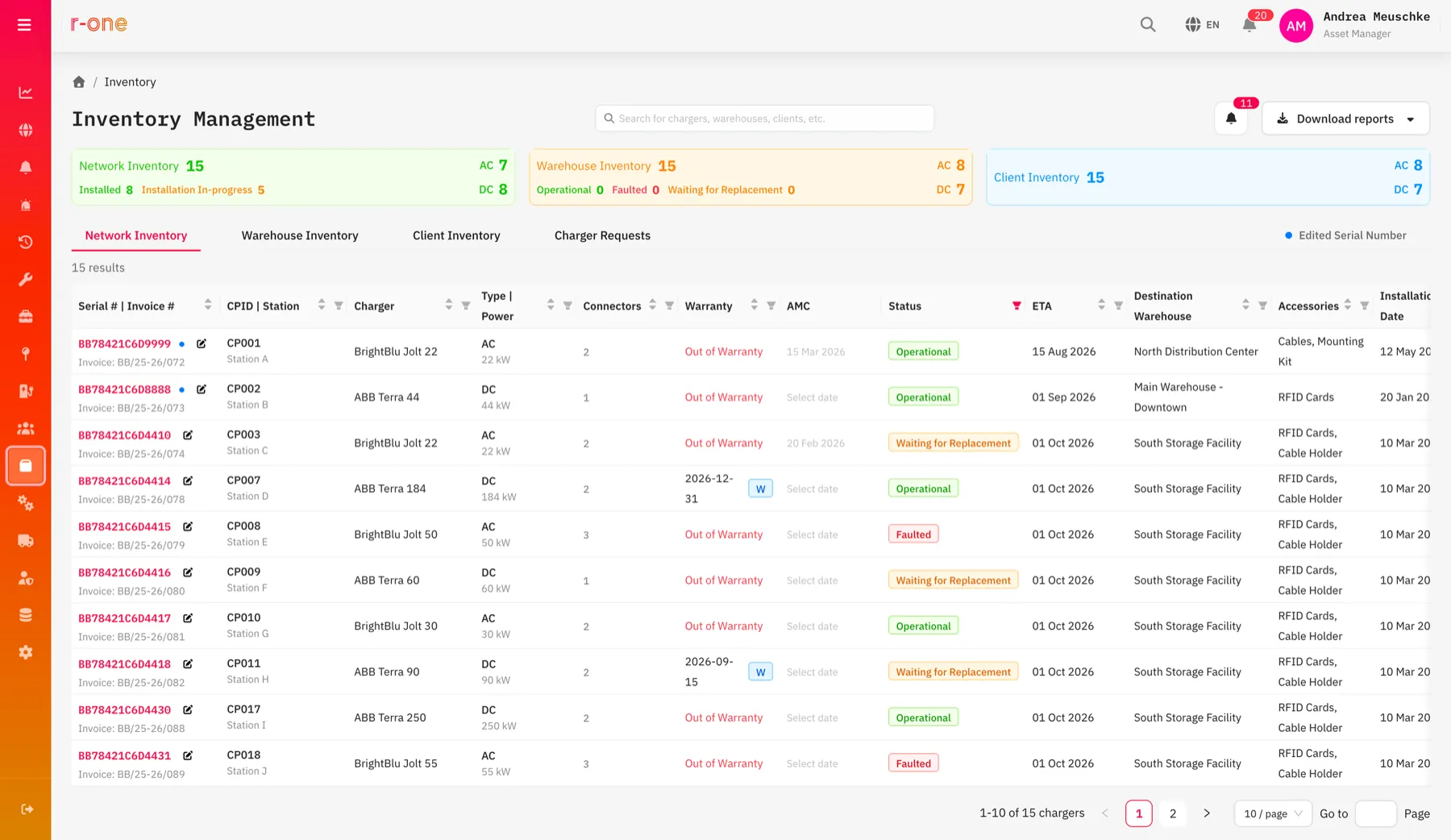
Site, charger, EVSE and connector, each with its own record and status.
OEM, model, charger type, power rating, connector details, firmware and serial number per unit.
Deployed, warehouse and sold or serviced assets, with an AC and DC split and a one-click stock report.
New, operational or faulted status, and healthy or defective condition, visible on every unit.
Cover and expiry per unit and part, with documents attached to the asset.
Every movement, installation, fault and repair in one timeline, newest first.
Chargers and parts enter the register with serial, OEM and model.
Stock is tracked by warehouse and condition.
Assigning a charger to a station moves it from warehouse to deployed.
Every job, part and reading adds to the lifecycle history.
Stock and lifecycle reports export in one click.
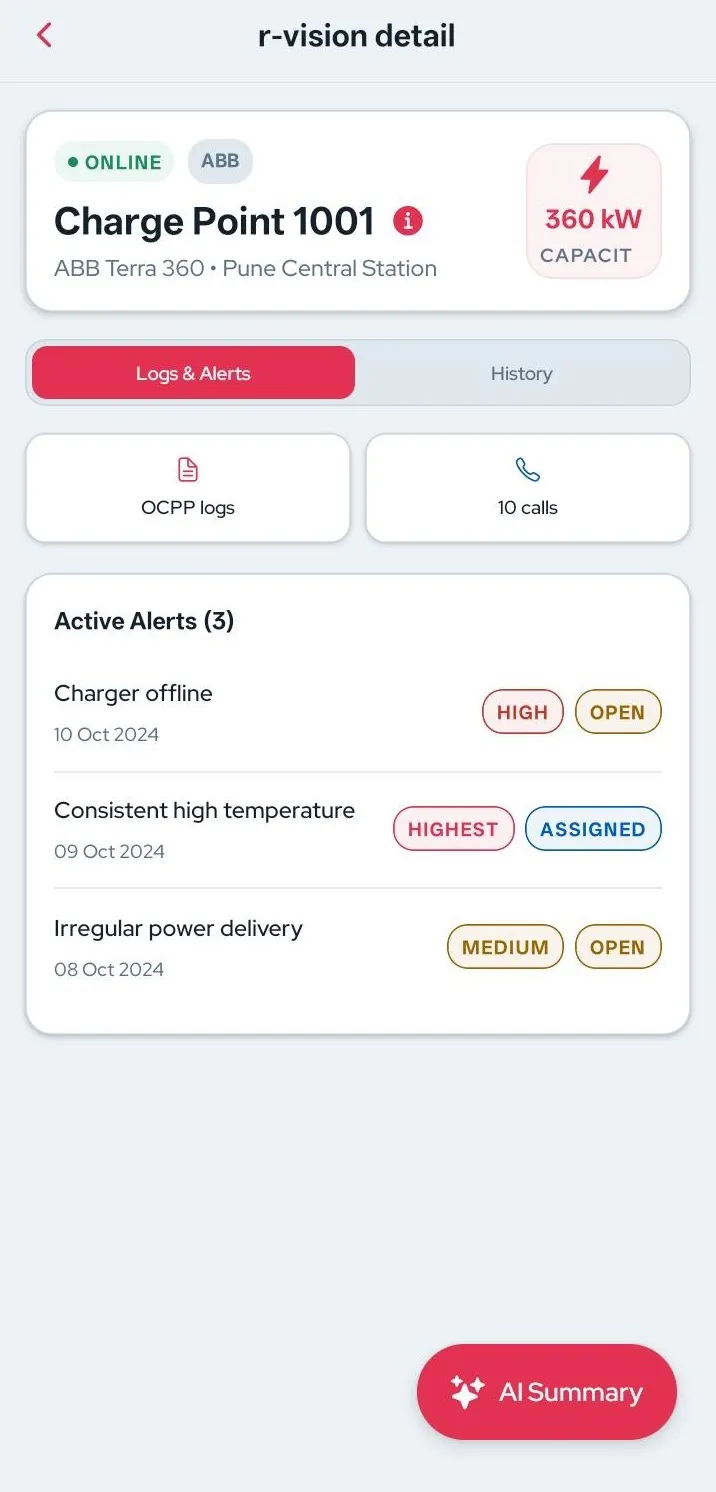
In the mobile app
Technicians read and update the asset record on the phone, with photos and readings attached to the asset on site.
Installation, maintenance, fault analytics and predictive and prescriptive maintenance all read from this record, and every outcome writes back to it.
Operators




Tracking every charger, connector, component and spare part by serial number, location, condition and history, so the network's hardware is always known. Iris R-One keeps this on one asset record shared by every team.
Yes. Spare parts and stock are tracked by warehouse and condition, and parts used on jobs are recorded against the asset.
Yes. The register stores OEM, model and firmware for every unit, so a multi-OEM network sits in one consistent record.
Changes recorded in the R-One mobile app, such as a part swap or a new serial, update the asset record directly. Nothing is re-keyed.
Share the size and make-up of the charging network, and the walkthrough will show what R-One surfaces on it. Demos run about 40 minutes.

