Skipped checks
Stations go live without voltage readings, photos or an OCPP connectivity test.
Set up assets
A charger that goes live with skipped checks fails early. Iris R-One runs every station through configurable stages and evidence-based checklists, so each charger reaches operations ready and fully recorded.
Gaps at handover show up later as downtime.
Stations go live without voltage readings, photos or an OCPP connectivity test.
Nobody can see which stations are blocked, and by what.
Operations inherits a charger with no record of how it was built.
Every station runs from the same template, on the same board, with the same structured evidence.
Templates
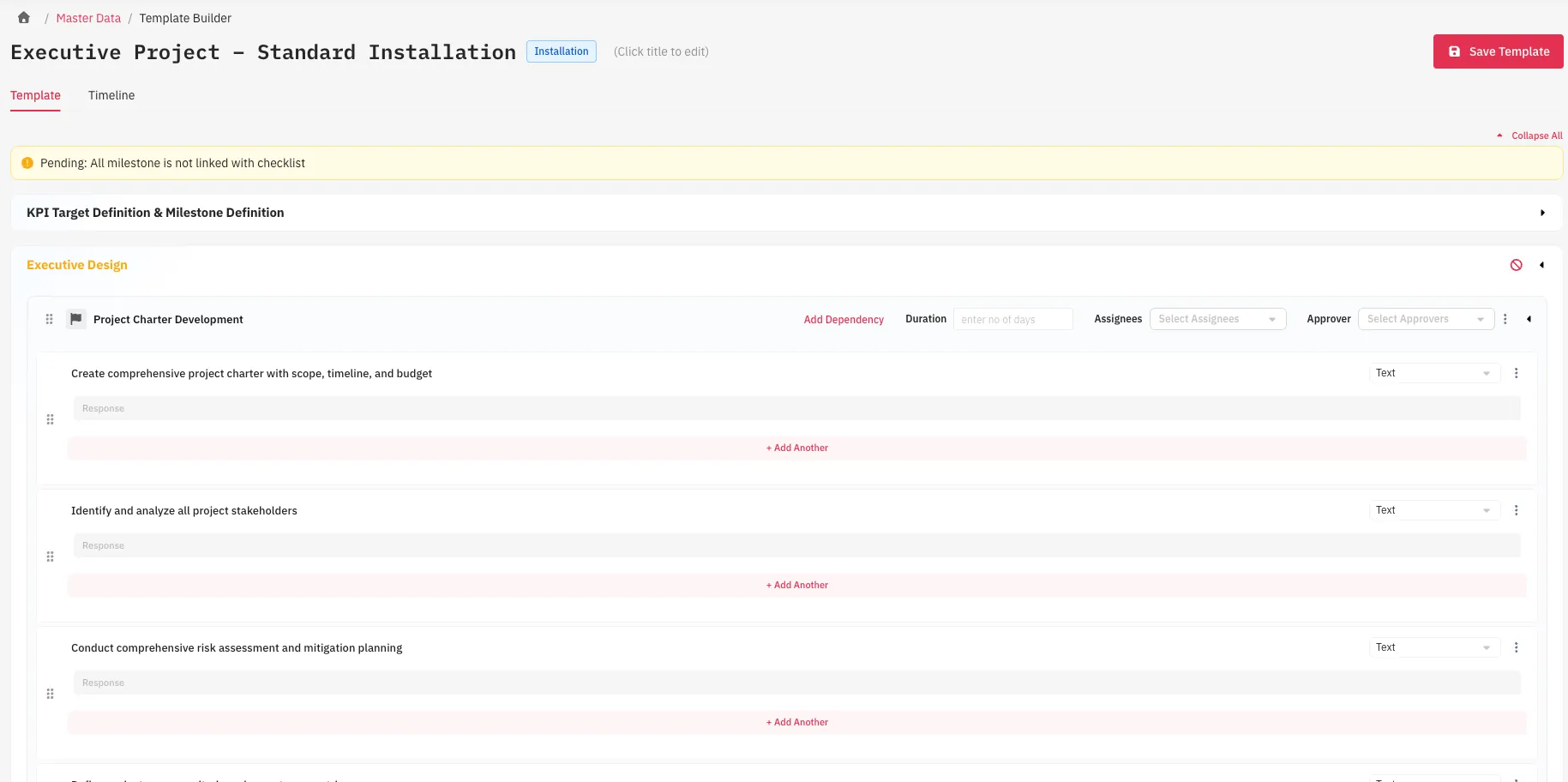
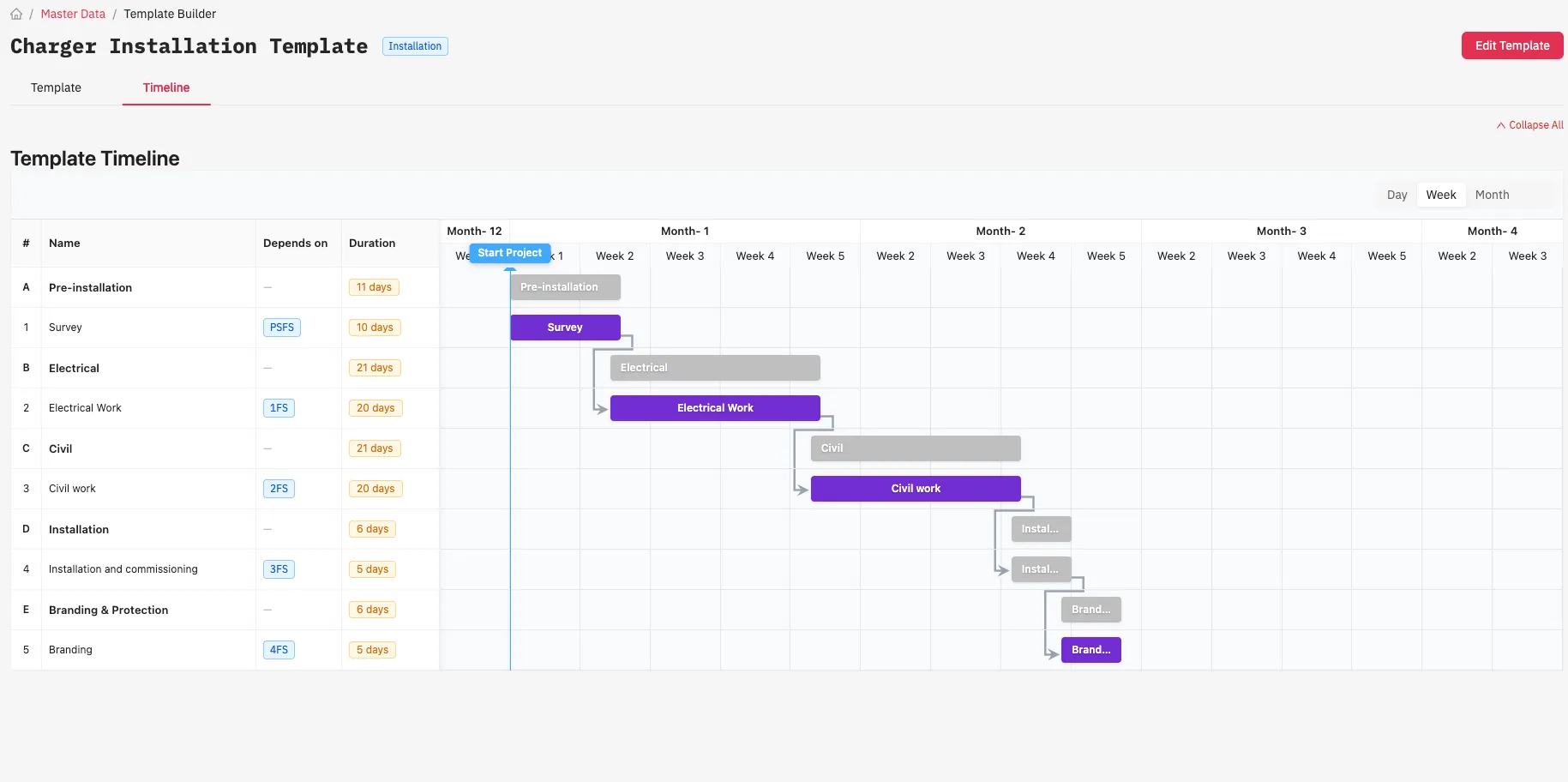
Activities, checklists, dependencies and durations are defined in a template. When a new project starts, R-One generates its project plan from the template automatically.
Project finance
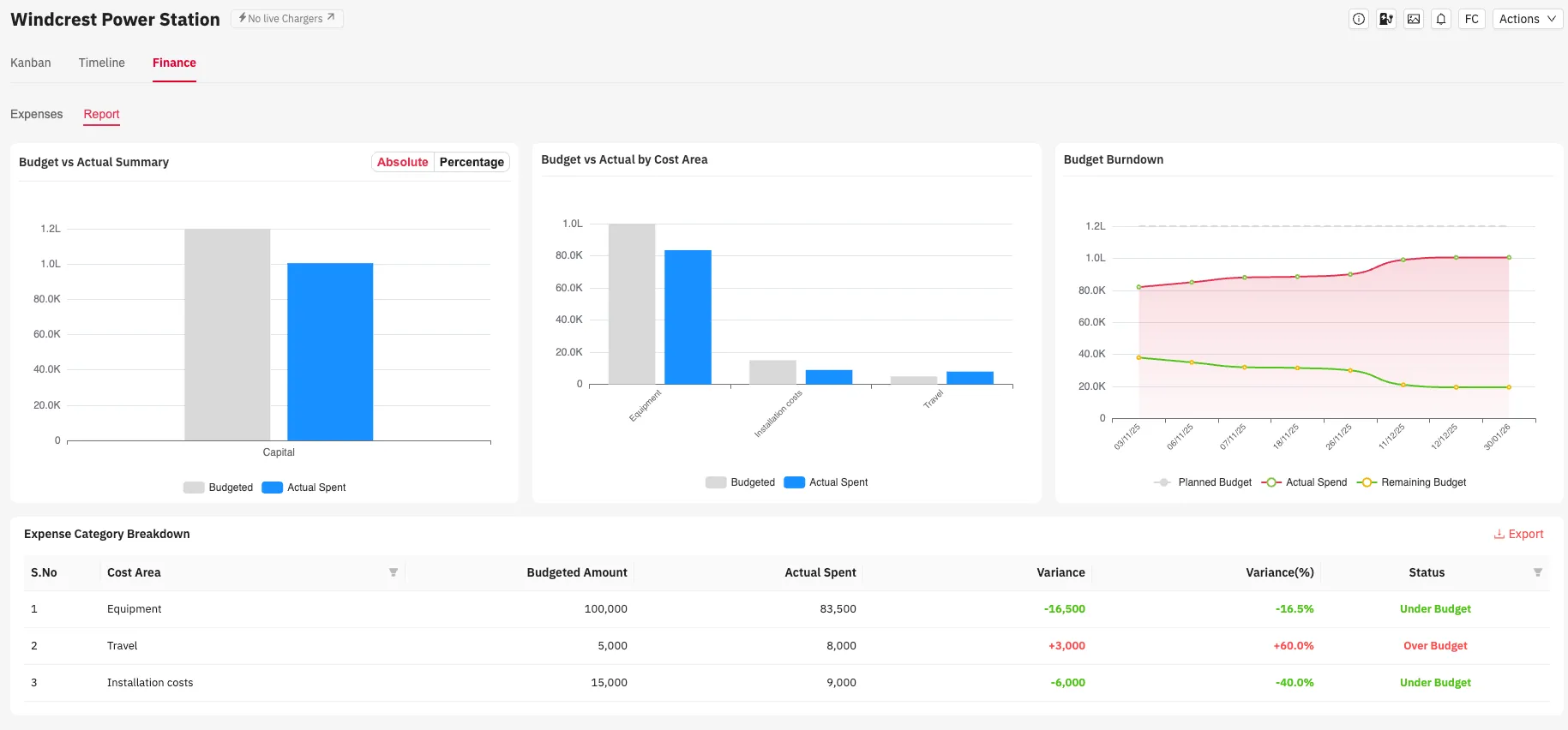
Project finances are managed beside the work. Expenses are logged against the budget by cost area, and the report shows where a project stands.
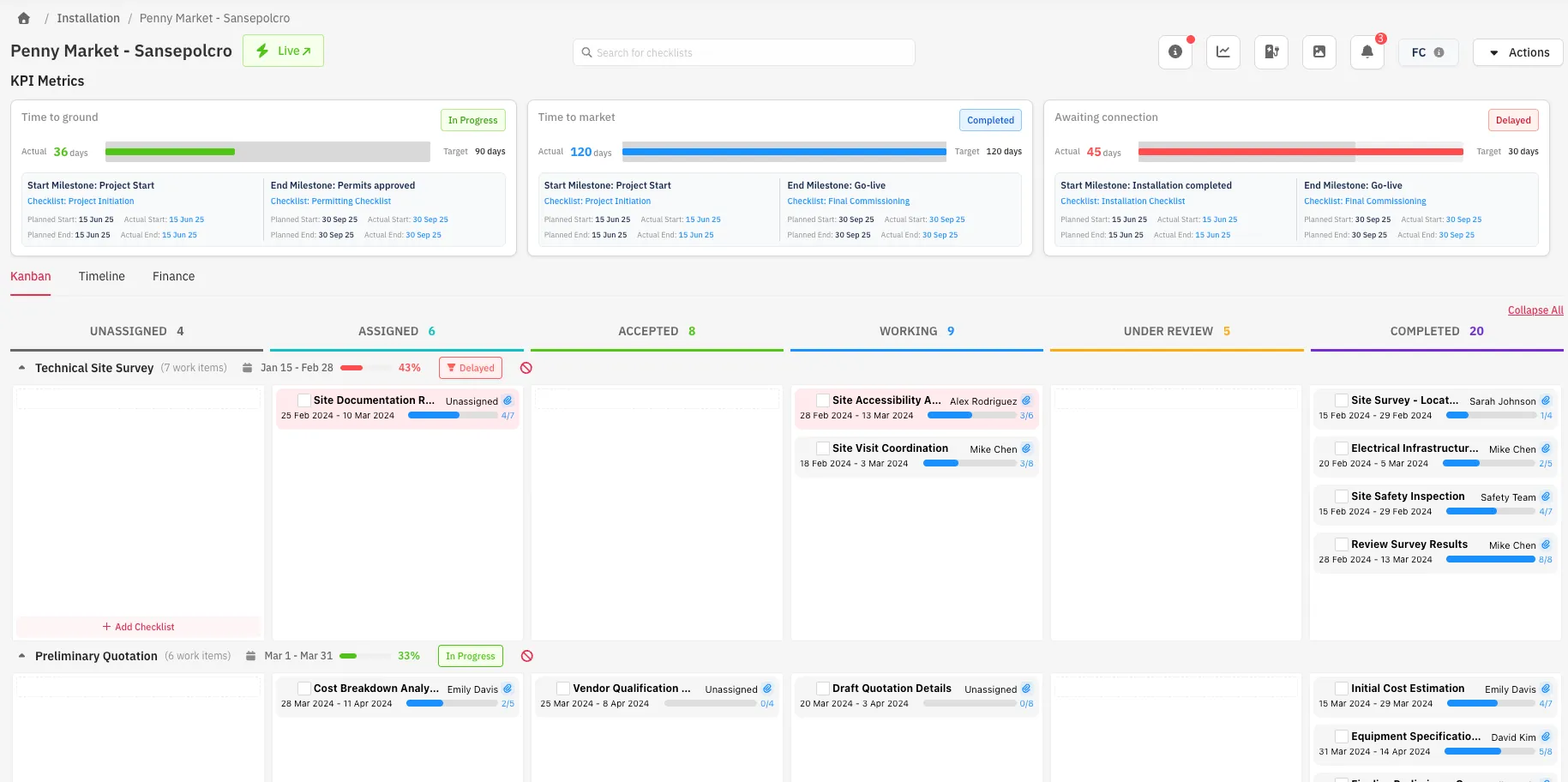
Kanban view
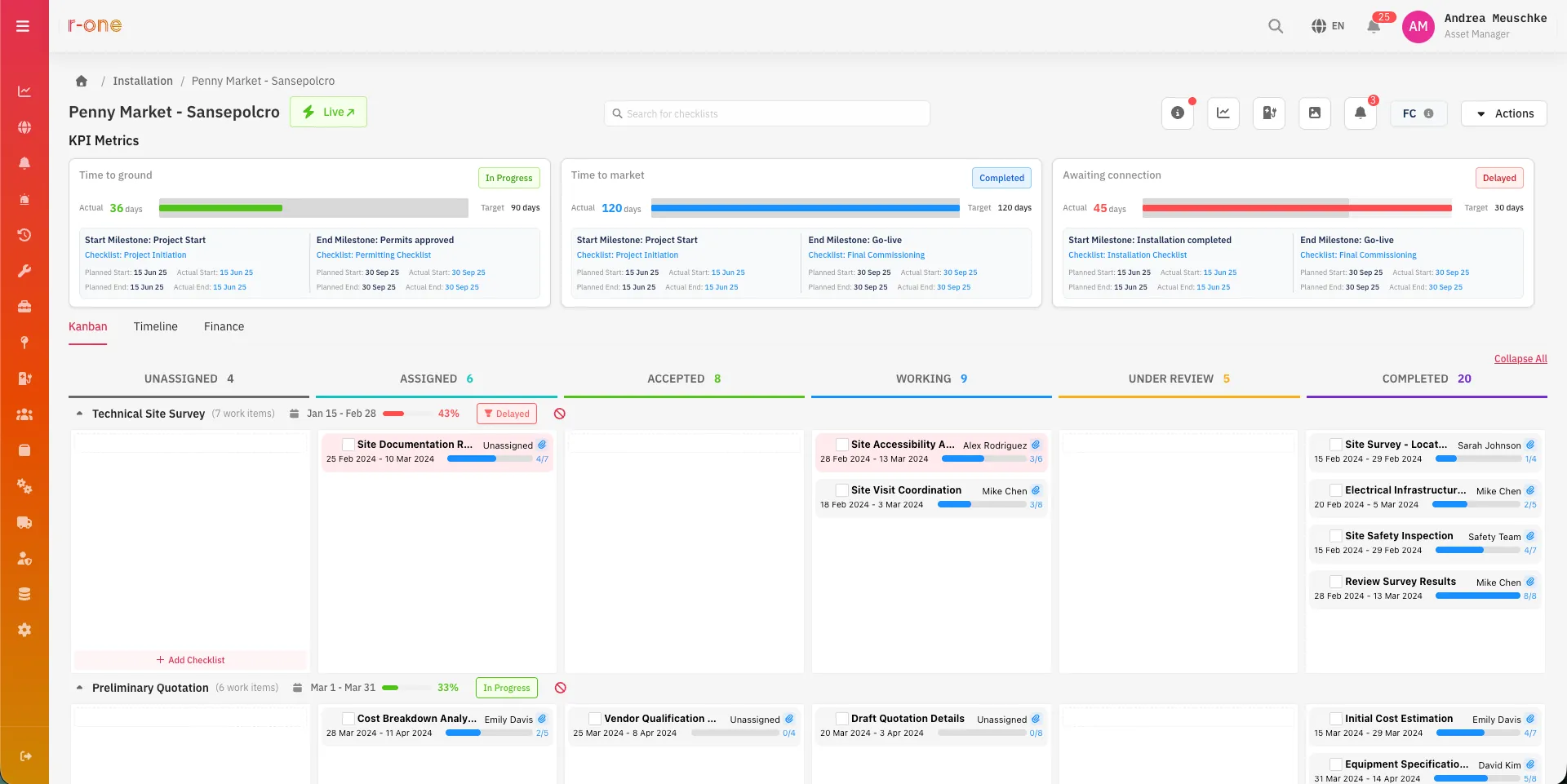
Every work item sits in a column from unassigned to completed, grouped by stage. Managers see what is blocked, who holds it and how far it has progressed.
Structured data
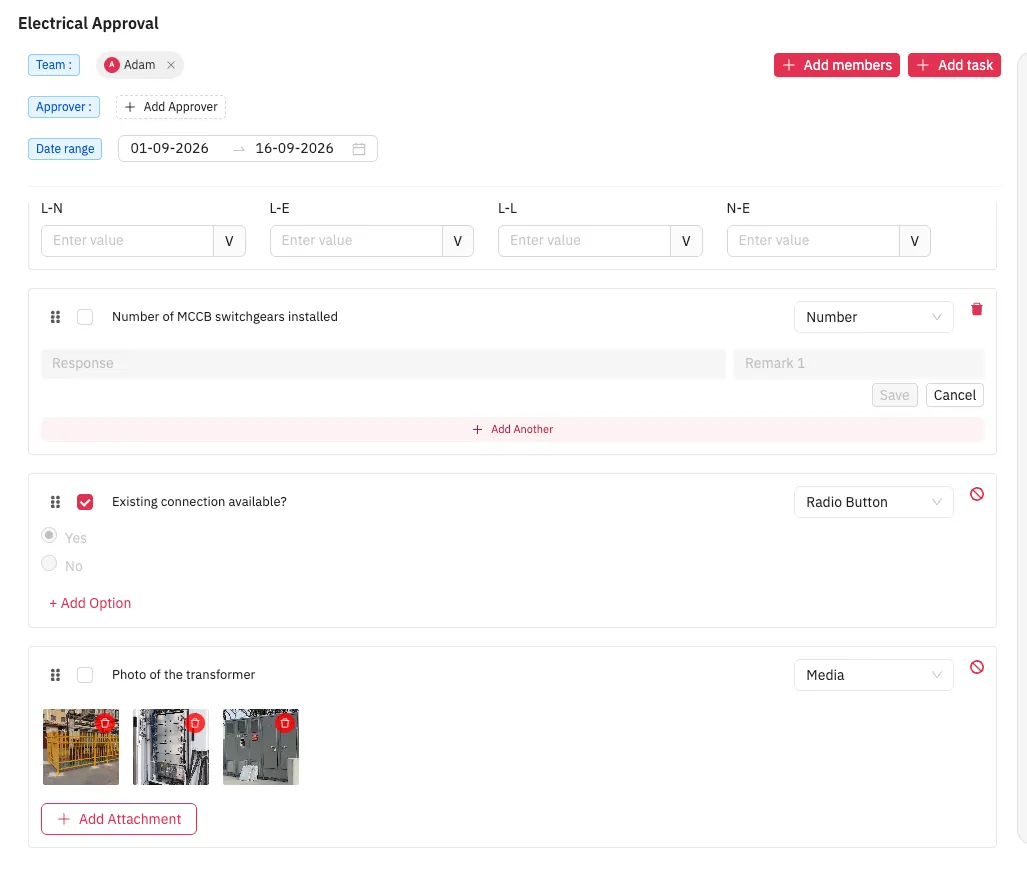
A work item is configured with the input that suits it, so what comes back from site is structured and ready to report, rather than free text.
Installation runs as a structured programme, with evidence attached at every step.
Programme, project, station and checklist, with each station tracked as its own project.
Execution project, permitting, planning, installation and operational, with progress rolled up from station to programme.
Site survey, civil work, branding, installation and commissioning, and operational readiness.
Text, number, media, file, radio, checkbox and 3-phase voltage inputs (L-N, L-E, L-L, N-E). Every item is mandatory, and media items require evidence.
Checklists are assigned to field users, who accept or reject them. Central teams approve completion.
Project gallery view and workpack report export for every programme.
Create the programme, projects and stations, with GPS location.
Assign checklists to field users by station.
Technicians complete checklists on site in the mobile app.
Central teams approve or reject completion with the evidence in view.
The station moves to operational, and the asset record is complete.
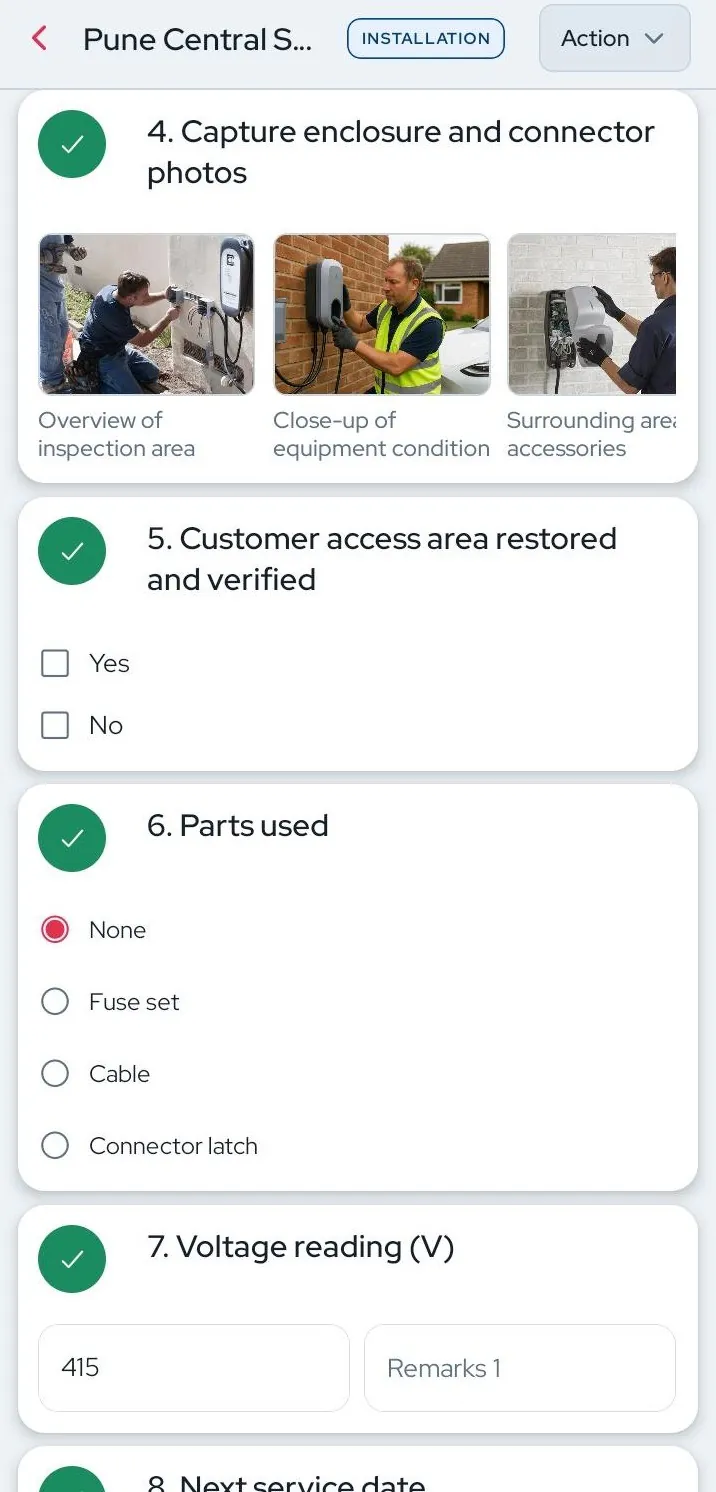
In the mobile app
The commissioning checklist runs in the mobile app, so photos, readings and voltage checks are captured on site and timestamped.
Chargers come from the inventory register. Once operational, the station and its full build record pass to maintenance.
Operators




Software that tracks each charging station through permitting, planning, installation and commissioning, with checklists and evidence, until it is handed over to operations.
Yes. Stages and checklist groups are configurable per programme, so the process matches each operator and market.
Photos, files, text and numeric inputs, and 3-phase voltage readings (L-N, L-E, L-L, N-E). Every checklist item is mandatory before completion.
The station moves to operational status, and its installation record, evidence and assets stay attached for maintenance teams.
Share the size and make-up of the charging network, and the walkthrough will show what R-One surfaces on it. Demos run about 40 minutes.

